
A conversation that keeps going
Private messages with saved history, replies, delivery indicators and an outbox that retries when your connection returns.

The quick hello. The long catch-up. The call that turns into game night. A private space for your conversations, right in your browser.
A working sketch of the real thing — tap a line and watch the reply land.
Hey! Long time. How are you?
Demo only — nothing here is sent anywhere.
From your desk to your phone. From a quick message to a familiar face.
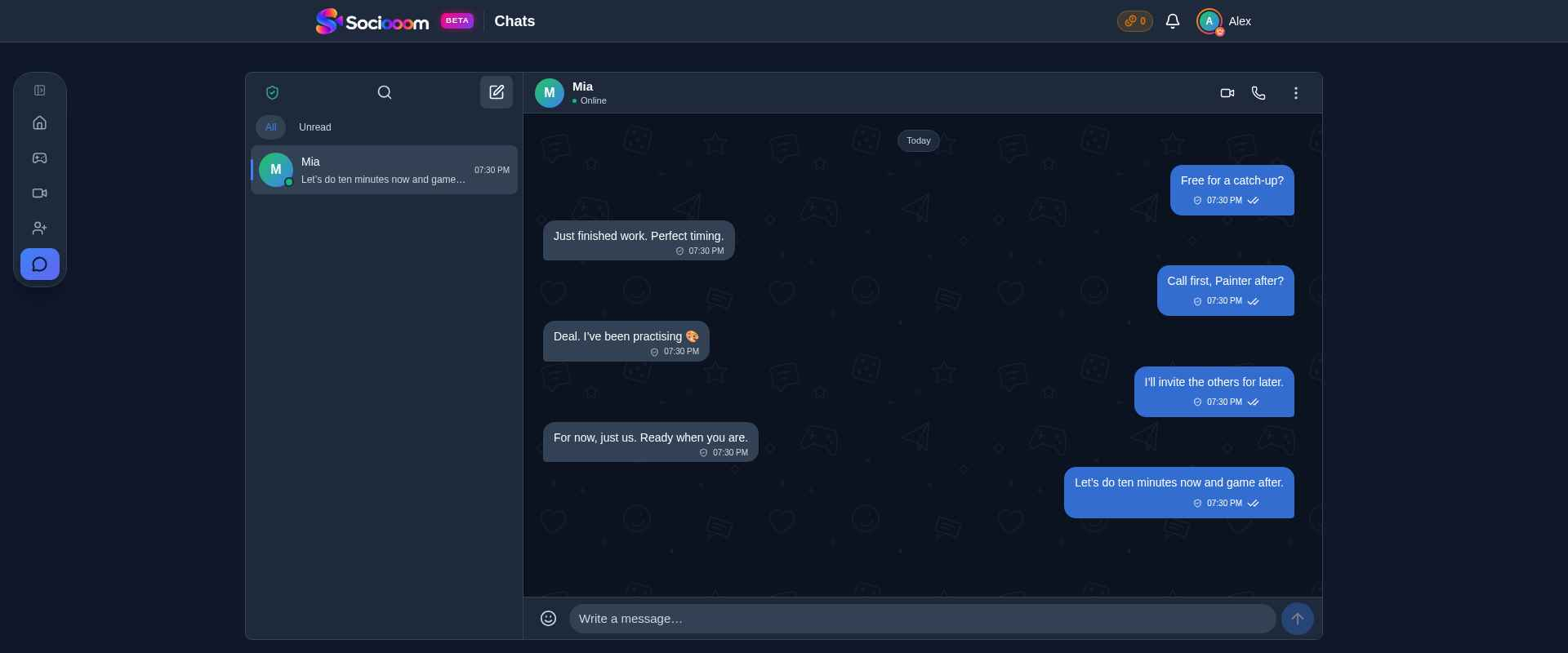
Private messages with saved history, replies, delivery indicators and an outbox that retries when your connection returns.
Start a private audio or video call from your conversation. Mute, switch cameras or turn video off without leaving the call.
Opt in to browser push for messages and invitations. Choose your notification categories in Profile. Message text stays out of push previews.
Private messages are encrypted in your browser before they leave it and decrypted on authorized devices. By default Sociooom also keeps a copy of your message keys so a device you confirm by email opens your history automatically — you can switch that off in Message privacy to keep the keys on your devices only.
Use a trusted device or your recovery backup to unlock encrypted history on a new phone or computer. Keep your backup somewhere safe.
One-to-one audio and video calls use end-to-end encryption. Media travels through LiveKit infrastructure as encrypted streams.
These protections describe private messages and one-to-one call media, not anonymity. Older Cloud history, account metadata and group text chats have different boundaries. See the FAQ below.
Yes. Create an account, add a friend and open a private conversation. Messaging and one-to-one calls are separate from games; you can use them on their own.
One-to-one call media is end-to-end encrypted. Messages are encrypted on your device, but by default the unlock key for your message history is also kept by Sociooom so new devices you confirm by email work straight away — in that mode the service can decrypt that copy. Turn on maximum privacy in Message privacy for end-to-end-only message keys. Account, contact, timing and delivery metadata are never hidden by message encryption, and this is not a promise of anonymity or protection on a compromised device.
Encrypted history needs your existing keys. Approve the new device from a trusted device or use your recovery backup. Signing in alone does not automatically trust an unknown device. If all copies of your keys are lost, encrypted messages cannot be recovered by the service.
Yes, the messenger adapts to mobile and desktop browsers. Camera and microphone access require browser permission. Calls and message encryption require a supported, up-to-date browser.
Yes, on supported browsers after you opt in. Configure message and invitation notifications in Profile. On iPhone and iPad, web push requires iOS or iPadOS 16.4 or later and the site added to your Home Screen. Delivery and action buttons depend on browser, operating system and background settings.
No. Private conversations and one-to-one calls have their own encryption and device-trust flow. Group rooms and game chats use a separate, server-coordinated system. The private-message encryption described here does not apply to those text chats.
Send that first hello.